Help Center

How can we help you
teach today?

Quick guides for your first 15 minutes. Searchable answers for everything after that.

Get started

Three short tours. Everything you'll need.

Three 3-minute videos covering the moments that matter most: your first day, your daily wellness rhythm, and the data that proves it's working.

Real-life skills Curriculum

Getting started with Schoolbeat

Video

Sign in, find your school, build your group, and assign your first lesson.

Wellness check-in

Know what your students think daily

Video

Launch wellness check-ins in seconds and act on the alerts that come back.

Reports and Analytics

Real-time data and trends

Video

Pull district-level wellness, utilization, and completion data in seconds.
Quick start

Browse every guide

9 categories, 46+ step-by-step Scribe walkthroughs. Filter by topic or search the catalog.

46 guides

πŸ””Alerts & Notificationsen

Alerts (Overview)

Overview of the Alerts feature.

Scribe walkthrough
πŸ””Alerts & Notificationsen

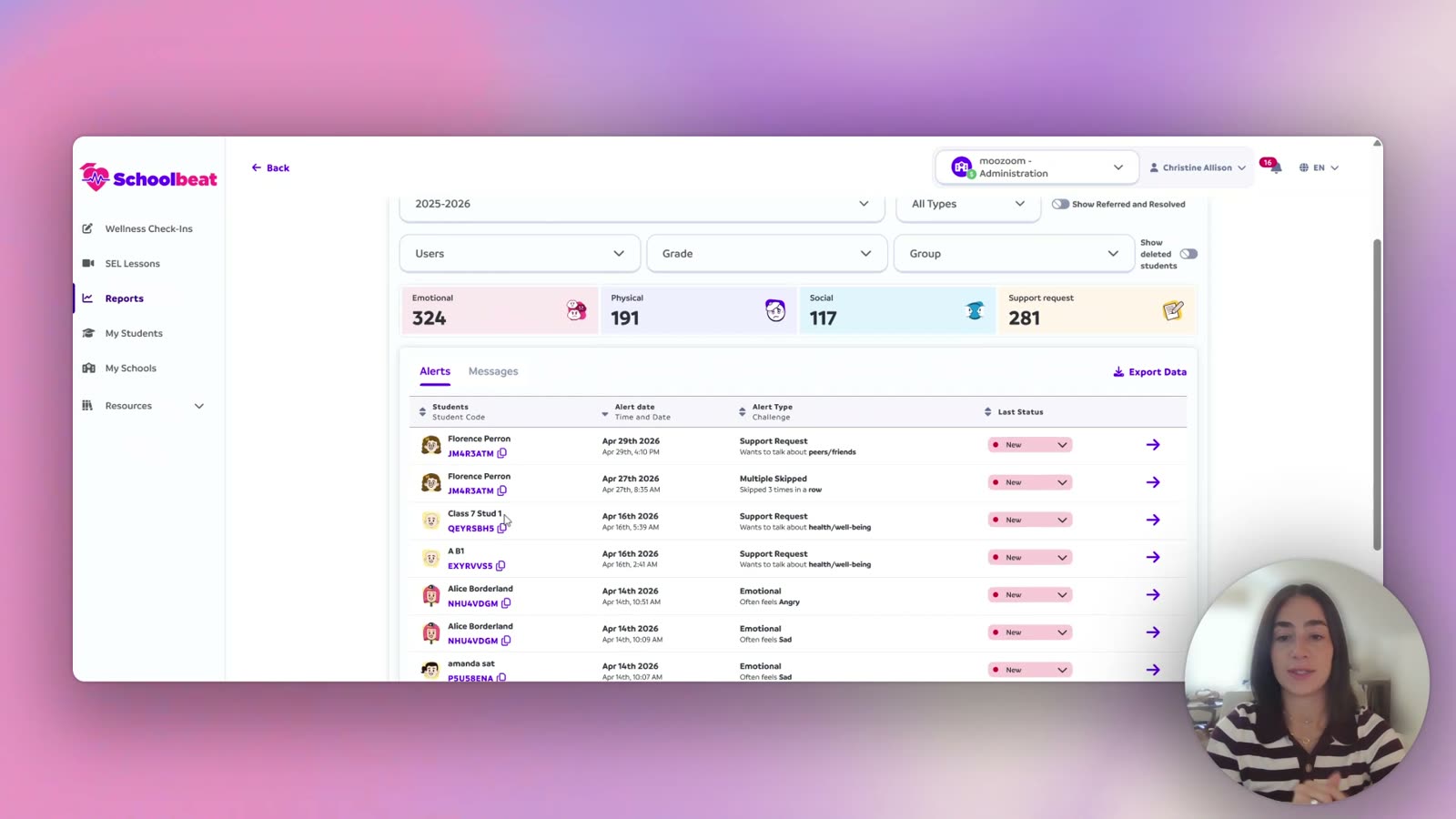
How to Access Wellness Check-In Alerts

Find and review alerts triggered by wellness check-ins.

Scribe walkthrough
πŸ””Alerts & Notificationsen

How to Use the Schoolbeat Notification Center

Manage notifications inside Schoolbeat.

Scribe walkthrough
πŸ””Alerts & Notificationsen

How to View Support Requests

See and respond to student support requests.

Scribe walkthrough
πŸ””Alerts & Notificationsen

Sorting by Specific Alerts

Filter the alerts view by specific alert types.

Scribe walkthrough
πŸš€Getting Starteden

Log In to Your Account and Join Your School

Walk-through for first-time login and joining your school in Schoolbeat.

Scribe walkthrough
πŸš€Getting Starteden

Using Your Schoolbeat School Code

How to find and use your school code to invite or join Schoolbeat.

Scribe walkthrough
πŸ“‹Groups & Rosteren

Edit Your Group's Name

Rename a group you've created.

Scribe walkthrough
πŸ“‹Groups & Rosteren

Editing a Student Avatar

Update or change a student's avatar image.

Scribe walkthrough
πŸ“‹Groups & Rosteren

Find a Student in Schoolbeat

Search for and locate a specific student in the platform.

Scribe walkthrough
πŸ“‹Groups & Rosteren

How to Add a Group and Students

Create a class group and add students to it.

Scribe walkthrough
πŸ“‹Groups & Rosteren

How to Edit a Group's Grade Level

Update the grade level assigned to a group.

Scribe walkthrough
πŸ“‹Groups & Rosteren

How to Sync a Class Roster from Clever/Classlink

Pull your class roster in from Clever or Classlink.

Scribe walkthrough
πŸ“‹Groups & Rosteren

Share a Group with Another User

Give another user access to a group you manage.

Scribe walkthrough
πŸ“šLessons & Curriculumen

Assign Lessons in Spanish or French

Assign Spanish or French language versions of lessons.

Scribe walkthrough
πŸ“šLessons & Curriculumen

Assign Lessons to One Student or a Small Group

Assign lessons to an individual student or a subset of a group.

Scribe walkthrough
πŸ“šLessons & Curriculumen

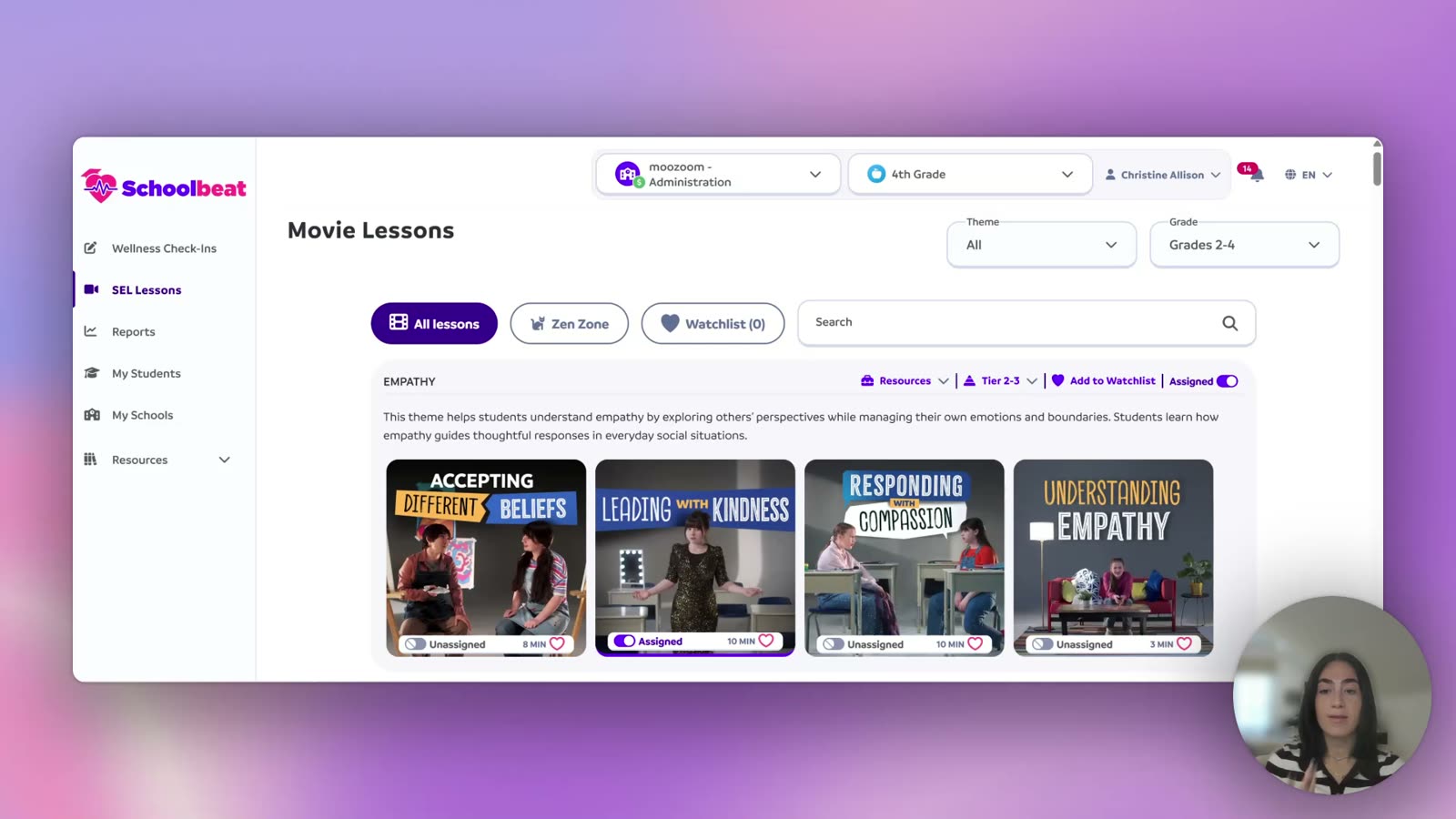
Assign Lessons to Your Whole Class

Assign a lesson to all students in a group at once.

Scribe walkthrough
πŸ“šLessons & Curriculumen

CASEL Competencies

Reference page for the CASEL competencies covered in Schoolbeat.

Scribe walkthrough
πŸ“šLessons & Curriculumen

How to Use the Pacing Guide

Use the pacing guide to plan and sequence lessons.

Scribe walkthrough
πŸ“šLessons & Curriculumen

Navigating Mini-Zoom Pre-K through First Grade

Walk-through of the Mini-Zoom content for Pre-K through 1st grade.

Scribe walkthrough
πŸ“šLessons & Curriculumen

Navigating the Middle School and High School Lessons

Tour of middle and high school lesson content.

Scribe walkthrough
πŸ“šLessons & Curriculumen

Navigating the Second through Sixth Grade Content

Tour of the lesson content for grades 2 through 6.

Scribe walkthrough
πŸ§‘β€πŸ«My Studentsen

My Students Activities

Activities tab of the My Students dashboard.

Scribe walkthrough
πŸ§‘β€πŸ«My Studentsen

My Students Alerts and Messages

Alerts and Messages tab of the My Students dashboard.

Scribe walkthrough
πŸ§‘β€πŸ«My Studentsen

My Students CASEL

CASEL tab of the My Students dashboard.

Scribe walkthrough
πŸ§‘β€πŸ«My Studentsen

My Students Check-ins

Check-ins tab of the My Students dashboard.

Scribe walkthrough
πŸ§‘β€πŸ«My Studentsen

My Students Overview

Overview tab of a teacher's My Students dashboard.

Scribe walkthrough
πŸ“ŠReports & Analyticsen

Access Student Check-ins Report

Open the Student Check-ins report.

Scribe walkthrough
πŸ“ŠReports & Analyticsen

Access Student Wellness Assessment Analytics Report

Open the Student Wellness Assessment Analytics report.

Scribe walkthrough
πŸ“ŠReports & Analyticsen

Export Activity Completion and Leaderboard Reports

Export activity completion and leaderboard report data.

Scribe walkthrough
πŸ“ŠReports & Analyticsen

Overview Report

Overview report inside the Reports section.

Scribe walkthrough
πŸ“ŠReports & Analyticsen

Quick Guide: Using Reports as an Administrator

Admin-level overview of the Reports section.

Scribe walkthrough
πŸ“ŠReports & Analyticsen

Utilization Report

Utilization report showing platform usage.

Scribe walkthrough
✨Student Activitiesen

How to View Individual Student Activities as an Administrator

Drill into a single student's activity from the admin view.

Scribe walkthrough
✨Student Activitiesen

How to View Student Activities

See student activity data as a teacher.

Scribe walkthrough
πŸ‘₯User Managementen

Add Users

Add new staff or admin users to your Schoolbeat account.

Scribe walkthrough
πŸ‘₯User Managementen

Edit a User's Access

Change what a user can see or do in Schoolbeat.

Scribe walkthrough
πŸ‘₯User Managementen

How to Edit a User's Role in Schoolbeat

Update an existing user's role, such as teacher or admin.

Scribe walkthrough
πŸ’›Wellness Check-Insen

Check-ins (Overview)

Overview of the Wellness Check-Ins feature in Schoolbeat.

Scribe walkthrough
πŸ’›Wellness Check-Insen

First and Second Grade Wellness Check-in

Run the wellness check-in for 1st and 2nd graders.

Scribe walkthrough
πŸ’›Wellness Check-Insen

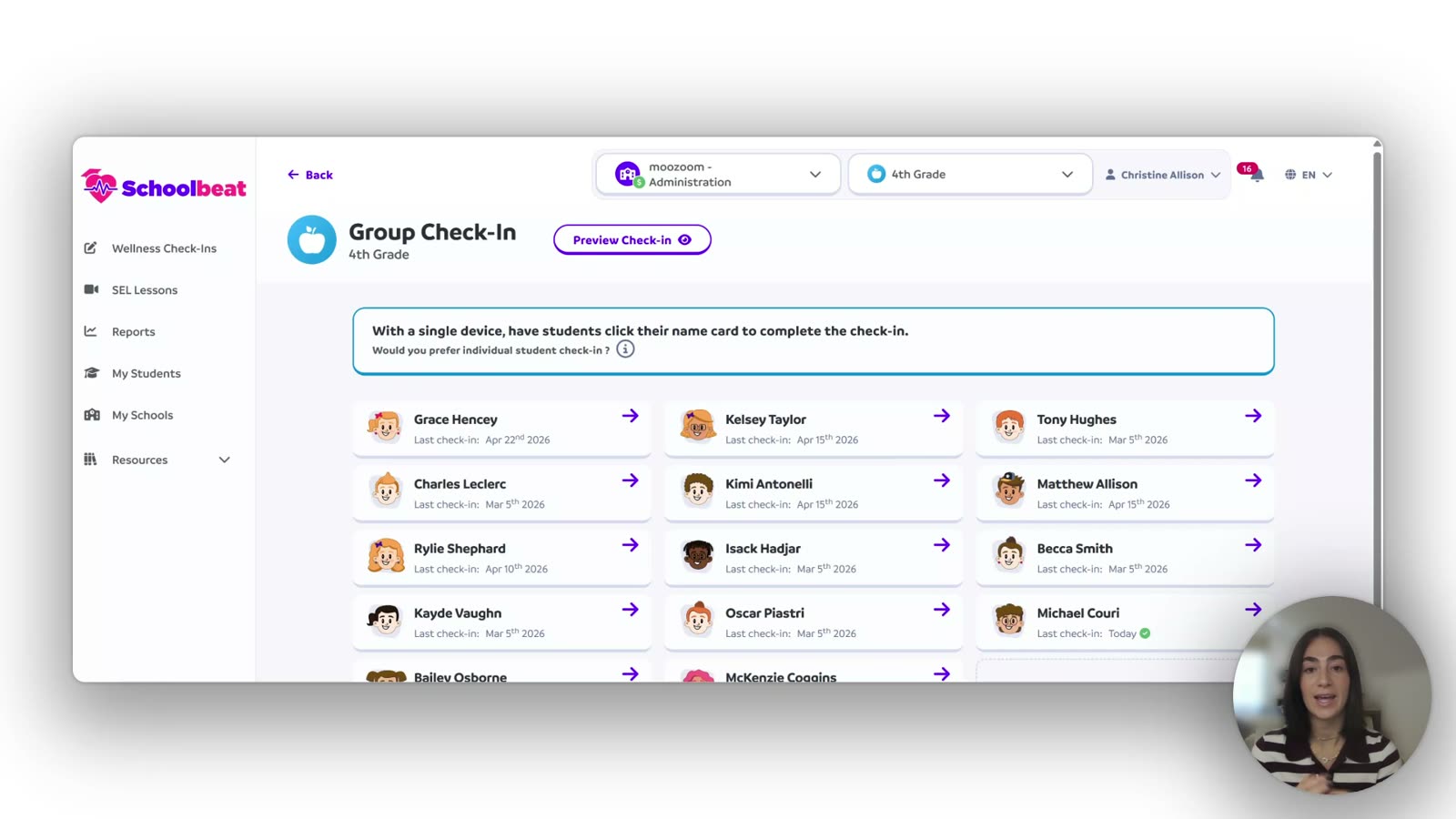
Launch the Group Wellness Check-In

How to start a wellness check-in for a whole group.

Scribe walkthrough
πŸ’›Wellness Check-Insen

Middle School and High School Wellness Check-In

Run the wellness check-in for middle and high school students.

Scribe walkthrough
πŸ’›Wellness Check-Insen

Pre-K and Kindergarten Wellness Check-in

Run the wellness check-in designed for Pre-K and Kindergarten students.

Scribe walkthrough
πŸ’›Wellness Check-Insen

Third Grade Wellness Check-In

Run the wellness check-in for 3rd grade students.

Scribe walkthrough
πŸ’›Wellness Check-Insen

Third Through Sixth Grade Wellness Check-In

Run the wellness check-in for 3rd through 6th graders.

Scribe walkthrough
πŸ’›Wellness Check-Insen

View Student Wellness Check-in Details

Open a single student's wellness check-in results.

Scribe walkthrough
Quick answers

Frequently asked questions

Short answers to the most common questions about pricing, privacy, standards alignment, and how Schoolbeat works.

116 answers

ProductWhat is Schoolbeat?
Schoolbeat is a real-life skills company for PreK to Grade 12. We build three products, and each one is differentiated on its own. (1) The real-life skills curriculum is a library of choose-your-own-adventure interactive video lessons that teach real-life skills for real-world challenges. Students make decisions inside the story; teachers press play. (2) The Daily Wellness Check-in is a 60-second student check-in that turns student state into real-time alerts so teachers and counselors can act in minutes, not weeks. (3) The Universal Screener is the only real-life skills screener students actually want to take, with age-appropriate domains from 4 (PreK to Grade 2) to 12 (High School). Districts can buy any single product or any combination.
ProductWho is Schoolbeat for?
Schoolbeat serves K-12 districts and schools. Teachers use it to deliver real-life skills in under 15 minutes with zero prep. Counselors use it for Tier 2 and Tier 3 supports and SST documentation. School and district leaders use it for real-time visibility on climate, behavior, attendance, and teacher adoption. Parents have a resource hub to extend the work at home.
ProductWhat grade levels does Schoolbeat serve?
Schoolbeat covers every grade from PreK through Grade 12 with developmentally-appropriate content. Early Elementary focuses on emotion exploration and identification. Elementary uses Netflix-style interactive lessons with discussion prompts and quizzes. Secondary uses a Teen Wellness Panel podcast format with 8 to 12 minute advisory-ready episodes. The Zen Zone mindfulness library is used across all grade bands.
CompanyWhat is Schoolbeat's mission?
Schoolbeat's public mission is "Every teacher teaches real-life skills. Every day." Our vision is to become the most widely used and trusted real-life skills platform in the world, by making it so easy and effective that it becomes part of every school day. The internal framing is to bring real-life skills into every classroom, every day, for every student.
ProductWhat makes Schoolbeat different from other real-life skills program?
Schoolbeat is differentiated product by product, not as a bundle. real-life skills curriculum: most real-life skills curricula are scripted lessons or static videos. Schoolbeat lessons are choose-your-own-adventure interactive video where students practice real-life skills for real-world challenges. They make decisions inside the story, see consequences, and try again. Daily Wellness Check-in: most check-ins generate static reports. Schoolbeat's Check-in routes student state into real-time alerts, so a teacher or counselor can act in minutes rather than wait for a weekly report. Universal Screener: most screeners feel like assessments students endure. Schoolbeat's Screener is the only one students actually want to take, with age-appropriate domains and an authentic format. Districts can adopt any single product on its own.
ProductWhat does "Zero Prep" mean?
Zero Prep is a promise of the Schoolbeat real-life skills curriculum. Teachers don't write the lesson, build the activity, or pull a YouTube clip. The platform provides the choose-your-own-adventure interactive video, the discussion prompts, the CASEL-aligned quiz, the reflective journal, the role play, and the ELA text connection. Teachers press play and facilitate. Most lessons run under 15 minutes. This zero-prep, real-life-skills design is why Val Verde USD's teacher adoption jumped from 8% to 75% mid-year after switching to Schoolbeat.
ProductHow long is a Schoolbeat lesson?
Schoolbeat lessons are designed to run under 15 minutes. The weekly structure is 15 minutes a day, with Monday for the video lesson, Tuesday for group discussion, Wednesday for quiz and journal, Thursday for ELA text connections, and Friday for role play. Teachers can use one lesson per week or spread the components across the week.
ProductWhat languages does Schoolbeat support?
Schoolbeat supports English, Spanish, and French across the full product. Students can toggle languages in-platform. Text-to-speech is built in for emerging readers. This reflects Schoolbeat's commitment to accessibility for multilingual school communities.
ProductWhat is "Press Play"?
"PRESS PLAY. Teach Highly Engaging Real-Life Skills. Zero Prep." is Schoolbeat's headline positioning. It captures the core idea that real-life skills delivery should not require teachers to plan, build materials, or cobble together resources from the internet. Every lesson is a click-and-play experience with discussion, reflection, and practice built in.
ProductWhat is "Zoom Out, Zoom In, Zoom Act"?
Zoom Out, Zoom In, Zoom Act is Schoolbeat's restorative practice framework that lives inside lessons and check-ins. Zoom Out helps students step back and observe what happened before reacting. Zoom In helps them identify and name the specific emotion. Zoom Act helps them choose a constructive response and practice a strategy. The framework is used across grade bands and is the backbone of the restorative classroom approach.
ProductWhat is the Mindfulness Library?
The Mindfulness Library is Schoolbeat's on-demand calm-the-room resource. Tagged scenarios include After Lunch, Before a Test, During Transitions, and Morning Reset. Each practice runs in about 5 minutes. The library lives alongside the main lesson catalog and is separate from the 22 Zen Zone mindfulness lessons, which are part of the core curriculum.
ProductWhat is the Teen Wellness Panel?
The Teen Wellness Panel is Schoolbeat's secondary-school content format. Instead of instructional video, students listen to podcast episodes recorded with real, unscripted teens. Episodes run 8 to 12 minutes and are advisory-ready. Topics include bullying, identity, screen time, stress, healthy relationships, and responsible decision-making. Built-in discussion and reflection guide the conversation after the episode.
ProductWhat is included in a typical lesson?
A full Schoolbeat lesson is a package. At the core is the video: either a Netflix-style interactive scenario (Elementary) or a Teen Wellness Panel podcast (Secondary). Around that are built-in discussion prompts for classroom conversation, a CASEL-aligned quiz to check understanding, a reflective journal entry, a role play to practice the skill, and ELA text connections. Teachers pick which components to use across the week without planning any of them.
ProductIs Schoolbeat video-based?
Yes. Schoolbeat's real-life skills curriculum is built on choose-your-own-adventure interactive video, not static or animated lessons. In Grades 2 to 5, students step inside Netflix-style scenarios, make decisions about how characters respond, and see the consequences play out. They practice real-life skills for real-world challenges (peer pressure, conflict, friendship, bullying, self-esteem). In Middle and High School, lessons shift to the Teen Wellness Panel podcast: real, unscripted teen voices working through identity, screen time, stress, and more. Early Elementary uses interactive modeling videos for emotion exploration and identification. The thread across all formats is peer modeling: kids listen to kids; teens listen to teens. Adult-narrated lessons are not Schoolbeat's format.
ProductHow does Schoolbeat fit into the school day?
Schoolbeat is designed for real classrooms. The default fit is 15 minutes a day or 1 weekly real-life skills block of 45 to 60 minutes. Common slots are homeroom, advisory, morning meeting, or specialist rotations. Counselors use it during Tier 2 and Tier 3 small-group sessions. The platform can either replace your current real-life skills block or complement it, depending on district preference.
CurriculumHow many lessons does Schoolbeat have?
The Schoolbeat real-life skills curriculum has 200+ choose-your-own-adventure interactive video lessons spanning four grade bands: 22 Zen Zone mindfulness activities, 46 Pre-K to Grade 1 lessons, 110 Grades 2 to 5 lessons, and 35 Grades 6 to 12 lessons. 213 total lesson experiences. Every lesson is built around real-life skills for real-world challenges, delivered as interactive scenarios where students make decisions inside the story. The library covers themes like Bullying, Anxiety, Stress, Healthy Relationships, Resilience, Growth Mindset, Identity, Screen Time, and many more.
CurriculumHow many lessons are in each grade band?
The Schoolbeat library is distributed across four grade bands. Zen Zone (mindfulness for any age) has 22 activities. Pre-K to Grade 1 has 46 lessons. Grades 2 to 5 (Elementary) has 110 lessons, which is the largest band and the source of the historical "150+" marketing figure. Grades 6 to 12 (Secondary) has 35 Teen Wellness Panel podcast episodes. The total across all bands is 213.
CurriculumWhat is the default weekly lesson structure?
The default Schoolbeat scope-and-sequence is a five-day rhythm for one lesson concept: Monday 15 min Interactive Video Modeling, Tuesday 15 min Group Discussion with built-in restorative practice, Wednesday 15 min Quiz and Journal, Thursday 15 min ELA Text Connections, Friday 15 min Role Play. This structure is flexible; many teachers compress the five steps into one 45 to 60 minute weekly block instead.
CurriculumWhat themes are covered in Pre-K to Grade 1?
Pre-K to Grade 1 covers a foundational set of 17 themes focused on emotional vocabulary, self-regulation, and early social skills. Themes include Exploring Emotions, Identifying Emotions, Healthy Communication, Growth Mindset, Respect and Consideration, Perseverance, Gratitude, Empathy, Self-Esteem, Impulse Control, Anxiety, Accepting Differences, Respect, Accepting "No", Sharing, Friendship, and Conflict. All 46 lessons in this band are mapped to these themes.
CurriculumWhat themes are covered in Grades 2 to 5?
Grades 2 to 5 is the richest band at 110 lessons covering 20+ themes. The full list includes Respect and Consideration, Healthy Communication, Growth Mindset, Problem vs Solution, Responsibility, Social Media, Assertiveness, Anxiety, Cliques and Gossip, Healthy Relationships, Influence, Difference, Using Good Judgment, Resilience, Accepting "No", Bullying, Fear of Being Judged, Self-Esteem, Adapting to Change, and Rejection. This is the band most closely associated with the "Netflix-style" marketing message.
CurriculumWhat themes are covered in Grades 6 to 12?
Middle and High School covers seven major themes through unscripted Teen Wellness Panel podcast episodes: Identity, Screen Time, Bullying, Responsible Decision Making, Healthy Relationships, Under Pressure, and Stress. Each theme has multiple episodes that run 8 to 12 minutes. The unscripted teen format is designed for advisory and homeroom blocks and lands authentically with older students.
CurriculumWhat is the Zen Zone?
The Zen Zone is Schoolbeat's on-demand mindfulness library with 22 activities. Lessons include movement routines with the character Zoomy, breathing practices, animal-pose warmups, and calming routines. The Zen Zone targets CASEL Self-Awareness and Self-Management. Teachers use it as a transition tool, a morning reset, or a tier-2 calming support for individual students.
CurriculumHow many lessons address bullying?
Bullying is covered in multiple places. Elementary has a dedicated "Bullying" theme plus a "Bullying 2: Breaking the Cycle" follow-up. Middle and High School has episodes like "Bullied, But Not Broken," "From Bystander to Upstander," "Trolls, Texts and Tactics," and "Bullying Myths Uncovered." Cyberbullying is reinforced through Social Media and Screen Time themes. For a precise lesson count by grade band, pull the lesson database filtered on Theme.
CurriculumHow many lessons address anxiety and stress?
Anxiety, Stress, and Under Pressure appear as dedicated themes. Pre-K to Grade 1 and Grades 2 to 5 both have an Anxiety theme. Middle and High School has "Stress" and "Under Pressure" as Teen Wellness Panel themes. The Zen Zone mindfulness library adds breathing and calming activities that support stress management for all grade bands. Pull the lesson database filtered on Theme for exact counts.
CurriculumHow many lessons address friendship and healthy relationships?
Schoolbeat covers relationships across every grade band. Friendship is taught at Pre-K to Grade 1. Healthy Relationships is a theme in Grades 2 to 5 and again in Grades 6 to 12. Related themes that reinforce the skill include Empathy (PreK), Healthy Communication, Cliques and Gossip, Assertiveness, and Conflict. For exact lesson counts by theme and grade band, filter the lesson database.
CurriculumHow many lessons address digital citizenship and social media?
Digital citizenship is a multi-grade thread. Grades 2 to 5 has a "Social Media" theme covering safe, empathetic online behavior. Middle and High School has a "Screen Time" theme with Teen Wellness Panel episodes like "Being Real in a Digital World," "Going Viral," "The Good, The Bad, The Gamer," and "Becoming Media Savvy." Cyberbullying is reinforced in the Bullying theme. Pull the lesson database for precise counts.
CurriculumHow many mindfulness lessons does Schoolbeat have?
Schoolbeat offers mindfulness content in two forms. The Zen Zone contains 22 structured mindfulness lessons including movement, breathing, and body awareness. The Mindfulness Library is a collection of shorter, 5-minute calming scenarios tagged by use case (After Lunch, Before a Test, During Transitions, Morning Reset). Together they give teachers tools for both Tier 1 regulation and in-the-moment calming.
CurriculumHow many lessons address identity?
Identity is a headline theme in Grades 6 to 12. Teen Wellness Panel episodes tackle body image, cultural belonging, learning styles, and values. Titles include "Mirror, Mirror on the Wall" (body image and self-esteem), "Embracing Your Roots" (cultural identity), "Decode Your Learning DNA" (learning style), and "Your Values, Your Voice" (articulating what matters). At earlier grade bands, identity is taught implicitly through Self-Esteem and Accepting Difference themes.
CurriculumHow many lessons address empathy?
Empathy is taught early and often. Pre-K to Grade 1 has a dedicated Empathy theme. Grades 2 to 5 reinforce empathy through Respect and Consideration, Accepting Difference, and Healthy Relationships. Middle and High School reinforce it through bullying and relationship episodes. Empathy maps to ASCA standard B-SS 4 ("Create positive relationships with family, friends, and adults" and related empathy wording).
CurriculumHow many lessons address conflict resolution?
Conflict resolution is built into Schoolbeat's core framework. Pre-K to Grade 1 has a dedicated Conflict theme. Grades 2 to 5 cover it through Problem vs Solution, Healthy Communication, Assertiveness, and Cliques and Gossip. The Zoom Out, Zoom In, Zoom Act restorative framework is embedded across all grade bands. Westbury UFSD's Powells Lane Elementary reported conflict-resolution scores rising from 4.0 to 9.0 on a 10-point scale after Schoolbeat rollout.
CurriculumAre learning objectives provided for each lesson?
Every Schoolbeat lesson has explicit Learning Objectives documented in the Master Standards and Competencies sheet. Objectives describe what students will know or be able to do after the lesson, in plain English. They are mapped to ASCA Mindsets and Behaviors, CASEL competencies, and targeted real-life skills. This makes it easy for counselors to cite the standards in SST, IEP, or state-reporting contexts.
CurriculumAre lessons differentiated for each grade?
Lessons are primarily mapped to a grade band. However, Schoolbeat supports differentiation by letting teachers select one grade up or down to match student readiness. Text-to-speech is built in for emerging readers. In-platform voiceovers read question stems out loud for struggling readers. These accessibility features support inclusion across reading and real-life skill levels in the same classroom.
CurriculumCan teachers customize the scope and sequence?
Schoolbeat has a default scope and sequence but it is fully flexible. Teachers can build their own scope from the theme catalog, reorder lessons, or compress a week's work into one block. During onboarding, the Schoolbeat Customer Success team can co-build a district-wide scope with administrators that aligns to local priorities, PBIS focus areas, or specific target behaviors. This flexibility makes Schoolbeat work for a 15-minute daily rhythm or a weekly 45-minute block.
CurriculumAre quizzes included with lessons?
Quizzes are built into every Schoolbeat lesson. They are aligned to the CASEL competency the lesson targets. Students' answers feed into the CASEL dashboard, giving teachers a picture of which competencies are developing and where students need more practice. This is passive assessment, no extra logistics for teachers.
CurriculumWhat activities besides video lessons are built in?
Schoolbeat lessons come with five built-in activities beyond the video: group discussion prompts, a CASEL-aligned quiz, a reflective journal, a role play, and an ELA text connection. The platform also offers the Zen Zone (22 mindfulness activities), the Mindfulness Library (5-minute calming routines), and printable resources that teachers can send home for family engagement.
StandardsIs Schoolbeat CASEL-aligned?
Schoolbeat is fully CASEL-aligned at the lesson level. Each of the 213 lessons is mapped to one or more CASEL competencies. Tags are visible on every lesson page in the platform. Quizzes report student progress by CASEL competency, and the admin CASEL dashboard aggregates that progress across a classroom, school, or district.
StandardsWhich CASEL competencies does Schoolbeat cover?
Schoolbeat covers all five CASEL competencies. Grades 2 to 5 and Grades 6 to 12 have broad and balanced coverage across Self-Awareness, Self-Management, Social Awareness, Relationship Skills, and Responsible Decision-Making. Pre-K to Grade 1 is weighted toward Self-Awareness and Self-Management, with 3 lessons on Responsible Decision-Making. Zen Zone mindfulness activities target only Self-Management and Self-Awareness (by design, given their mindfulness focus).
StandardsIs Schoolbeat ASCA-aligned?
Schoolbeat aligns with the ASCA National Model. Each lesson maps to one or more ASCA Mindsets (M 1 through M 6) and ASCA Behaviors across Learning Strategies (B-LS), Self-Management Skills (B-SMS), and Social Skills (B-SS). This makes the platform directly usable by school counselors documenting real-life skills work within their ASCA-aligned programs. Six ASCA codes have intentional zero coverage in the current library, documented in standards_gaps.md.
StandardsDoes Schoolbeat align with state student wellness standards?
Schoolbeat aligns with CASEL and ASCA, the two frameworks most state student wellness standards derive from. In practice, this means Schoolbeat maps to the vast majority of state student wellness standards. A dedicated Texas page at schoolbeat.io/texas highlights state-specific positioning. For other state alignment documentation, the Customer Success team can produce a crosswalk during onboarding.
StandardsWhat is the evidence base for Schoolbeat's methodology?
Schoolbeat's methodology is rooted in several evidence-based frameworks. Social learning theory (Albert Bandura) grounds the peer-video-modeling approach. Video modeling research supports repeated observation-and-imitation as an efficient way for learners to acquire real-life skills. Explicit-instruction pedagogy ensures clear modeling, guided practice, and reinforcement. District-level quasi-experimental studies (Val Verde USD, 2024-2025; Westbury UFSD, multi-year) document real outcome gains.
StandardsIs Schoolbeat ESSA Tier 2 approved?
Schoolbeat's public Research page describes the platform as evidence-based and fully CASEL and ASCA aligned, but does not currently claim an ESSA Tier. The internal quasi-experimental case studies at Val Verde USD and Westbury UFSD are the building blocks toward a formal ESSA evidence submission, which is planned as a future update to the Research page. For customer conversations, use "evidence-based, CASEL and ASCA aligned, grounded in Bandura's social learning theory and video modeling research."
StandardsDoes Schoolbeat support school counselors using the ASCA framework?
Schoolbeat is designed to work hand-in-hand with school counselors following the ASCA National Model. Lessons are explicitly mapped to ASCA Mindsets and Behaviors, so counselors can cite specific standards in SST, IEP, 504 plans, or annual reporting. Counselors can run small-group Tier 2 and Tier 3 interventions, and in many districts (Westbury UFSD being the prime example) counselors lead the rollout with classroom push-ins that then build teacher buy-in.
StandardsCan we report outcomes aligned to CASEL domains?
The Schoolbeat dashboard includes a dedicated CASEL tab that reports student, class, and school progress against each of the five CASEL competencies. Data is sourced from CASEL-aligned quizzes, activity completion, and student responses. You can export CASEL progress data for board reports or annual real-life skills reviews. This passive-data model means counselors and admins do not run extra assessments to generate CASEL-aligned reporting.
StandardsHow does Schoolbeat align with PBIS?
PBIS and Schoolbeat are complementary. PBIS defines the behavioral expectations at a school; Schoolbeat provides the real-life skills content and data to teach, reinforce, and monitor those expectations. Districts get the best results by picking Schoolbeat themes that directly mirror their PBIS matrix (e.g., Respect and Consideration to support a "Be Respectful" expectation). The check-in and screener data feeds into early identification before behaviors escalate to referrals.
StandardsHow does Schoolbeat support MTSS Tier 1?
Schoolbeat is purpose-built for MTSS Tier 1 implementation. Every student gets universal access to daily wellness check-ins, 15-minute real-life skills lessons, and 1 to 5 annual Universal Screener cycles. This broad, preventive application generates the data that identifies which students need Tier 2 or Tier 3 support. The screener's multi-domain output is designed to work as a universal screener within MTSS.
StandardsHow does Schoolbeat support MTSS Tier 2 and Tier 3?
At Tier 2 and Tier 3, the real-life skills curriculum gives counselors targeted lessons organized by theme (Bullying, Anxiety, Stress, Healthy Relationships, etc.). When a district also uses the Daily Wellness Check-in, real-time alerts surface students who may need a check-back. When a district also uses the Universal Screener, results route students to specific lessons. Counselors can document participation and skill development for SST, IEP, or 504 records. Schoolbeat complements (does not replace) clinical mental-health services.
ScreenerWhat is the Schoolbeat Universal Screener?
The Schoolbeat Universal Screener is built on a single conviction: a screener only works if students take it seriously. Schoolbeat's Screener is the only real-life skills screener students actually want to take, with an authentic, age-appropriate format and domains tuned to each grade band (4 domains for PreK to Grade 2, 11 for Elementary and Middle School, 12 for High School). Districts pick which domains to screen on. Topics rotate on monthly cycles throughout the year. Results are classified as Thriving (15-20), Watch and Support (10-15), or High Priority (below 10). When a district also uses the real-life skills curriculum, each domain maps to specific lessons so at-risk students can be routed to relevant content immediately.
ScreenerHow does the Schoolbeat screener work?
The screener is configurable per district. Districts choose a subset of domains from the 4 to 12 available for their grade band. Each domain rotates on a 2-month cycle, and students answer 6 questions per topic (totaling 12 questions per month across rotating topics). Up to 5 cycles run per year. Results land in one of three tiers (Thriving, Watch and Support, High Priority), which triggers automatic routing to Strongly Aligned and Secondary lessons in the Schoolbeat library.
ScreenerHow many domains does the Universal Screener have?
The Schoolbeat Universal Screener uses developmentally-appropriate domain sets that grow with age. Pre-K to Grade 2 has 4 domains with simplified student-facing labels (Self-Awareness/My Feelings and Me, Responsibility/My Choices, Learning Readiness/Ready to Learn, Self-Care/Taking Care of Me). Elementary and Middle School each have 11 domains. High School has 12, adding Post-Graduation Readiness as an age-appropriate life-skills domain.
ScreenerWhat domains are in the Pre-K to Grade 2 screener?
Pre-K to Grade 2 uses a simplified 4-domain screener with student-facing labels. Self-Awareness appears as "My Feelings and Me." Responsibility appears as "My Choices and Responsibilities." Learning Readiness appears as "Ready to Learn." Self-Care appears as "Taking Care of Me." Each domain maps to specific PreK to Grade 1 Schoolbeat lessons.
ScreenerWhat domains are in the Elementary screener?
The Elementary Universal Screener has 11 domains: Self-Awareness, Responsibility, Learning Skills, Life Skills, Sense of Belonging, Climate/School & Safety, Executive Function Skills, Acceptance and Inclusion, Resilience, Relationships, and Leadership. Each domain has a Strongly Aligned and a Secondary/Supporting set of Schoolbeat themes that route students from screener result to lessons.
ScreenerWhat domains are in the Middle School screener?
The Middle School Universal Screener has 11 domains. Compared to Elementary, the "Climate School & Safety" domain becomes "Climate and Safety." Otherwise the domain list is the same. Each domain maps to specific Teen Wellness Panel themes like Identity, Stress, Under Pressure, Responsible Decision Making, Screen Time, Bullying, and Healthy Relationships.
ScreenerWhat domains are in the High School screener?
The High School Universal Screener has 12 domains. It includes the same 11 Middle School domains plus Post-Graduation Readiness, which covers the transition to college, career, or independent living. Post-Graduation Readiness maps strongly to the Stress, Under Pressure, and Responsible Decision Making themes in the Teen Wellness Panel library.
ScreenerIs the Schoolbeat screener a universal screener or a diagnostic tool?
Schoolbeat's screener is a universal screener, meaning it is designed to scan the whole student population quickly and identify those who may need additional support. It is not a clinical diagnostic tool and does not replace psychoeducational or mental-health evaluations. It is norm-referenced at the domain-tier level (Thriving, Watch and Support, High Priority) rather than criterion-referenced against external clinical benchmarks.
ScreenerHow often do students take the Universal Screener?
The screener rotation is designed to balance data signal with student time. Up to 5 cycles run per school year. Each cycle lasts about 2 months and covers one of the district-selected domains. Students typically see 12 questions per month, which works out to roughly 6 questions per topic. Districts can configure a lighter schedule if preferred.
Check-inWhat is the Daily Wellness Check-in?
The Daily Wellness Check-in is differentiated by what it does next. Most wellness tools produce a weekly summary; the Schoolbeat Check-in turns student state into real-time alerts the moment a student needs support. A 60-second flow asks students to tap an emotion (Calm, Happy, Surprised, Curious, Proud, Motivated, Sad, Angry, Afraid, Disgusted, Embarrassed, Bored, plus an 'I don't feel like sharing' opt-out) and add a quick context tag. Patterns like repeated negative emotions or explicit help requests trigger alerts in the teacher, counselor, and admin feeds. The result: action in minutes, not weeks.
Check-inHow long does a daily check-in take?
The check-in is intentionally brief, about 60 seconds per student. Teachers typically run it as a 1 to 2 minute whole-class warm-up, either at the start of the day or after a transition. Individual students can also check in anytime they need to, which gives counselors a running signal throughout the day.
Check-inWhat emotions can students report in a check-in?
The check-in presents 12 core emotion tiles with audio playback for each: Calm, Happy, Surprised, Curious, Proud, Motivated, Sad, Angry, Afraid, Disgusted, Embarrassed (note: current UI shows the word with one "r" as a known product typo), and Bored. An opt-out tile reads "I don't feel like sharing." After selecting an emotion, students answer a short follow-up about context (where the feeling came from, how intense it is).
Check-inCan students skip the check-in?
Student choice is baked into every check-in. The "I don't feel like sharing" option is always present, and no punitive consequence attaches to using it. This design respects student privacy and teaches students that saying "not right now" is a valid response. Teachers and counselors can still review opt-out patterns as signal; repeated opt-outs may prompt a caring follow-up from a counselor.
Check-inAre check-in data and screener results connected to lessons?
Each Schoolbeat product is designed to work as a stand-alone purchase. Districts that buy more than one get an additional benefit: data routes to content. Screener results sort students into tiers per domain, and each domain maps to a Strongly Aligned and a Secondary set of lessons in the real-life skills curriculum. Daily Check-in patterns (repeated negative emotions, explicit help requests) trigger real-time alerts that can suggest specific lessons or counselor check-backs. This is a benefit of using multiple products together; it is not the reason any one product wins on its own.
Check-inHow does Schoolbeat identify at-risk students?
Schoolbeat uses both ongoing and periodic signals to identify students who may need Tier 2 or Tier 3 support. The daily check-in flags patterns like repeated negative emotions ("Tommy felt unhappy three times") via real-time alerts. The periodic Universal Screener produces domain-level tier placements (Thriving, Watch and Support, High Priority) so counselors can plan small-group interventions. Alerts surface in mobile and desktop notification feeds with "View" and "Take action" buttons.
DataWhat data does Schoolbeat collect?
Schoolbeat captures a mix of passive and active data. Passive data includes lesson activity completion, student responses inside activities, quiz scores, and screener submissions. Active data includes the daily wellness check-in and the Monthly Teacher Assessment. All data is aggregated at student, group (class), school, and district levels. The platform explicitly does NOT use general pulse-check surveys; screeners, quizzes, and check-ins serve that function.
DataWhat reports and dashboards can admins see?
The Schoolbeat admin dashboard has seven main tabs. Overview shows school climate percentage and totals. Alerts shows real-time flags. Check-ins shows student wellness trends. Utilization shows teacher and student engagement with the platform. Universal Screeners shows tier placements by domain. CASEL shows competency progress. Teacher Surveys shows classroom-level monthly assessment trends. All tabs support drill-down and export.
DataWhat are Schoolbeat Alerts?
Alerts are real-time notifications in the Schoolbeat platform. Examples include "A student wants to talk," "A student may need help" (triggered by repeated negative emotional states), and "Reminder, 6 unattended students for 7 days or more." Each alert has "View" and "Take action" buttons and can be acknowledged. The feed is available on mobile and desktop so counselors and admins can respond immediately.
DataWhat is the Monthly Teacher Assessment?
The Monthly Teacher Assessment is Schoolbeat's classroom-level pulse survey. Teachers rate their class on a 1-to-10 scale across 5 indicators: students' ability to manage emotions, students' ability to foster positive interactions, students' ability to resolve conflicts, students' availability to learn, and ease of teaching in the classroom. The whole survey takes under 30 seconds. Results trend monthly and show in the Teacher Surveys dashboard tab.
DataCan Schoolbeat data be exported?
All Schoolbeat dashboards support data export for board meetings, annual real-life skills reviews, grant reporting, and research needs. Common export formats include CSV and PDF. You can export CASEL progress, screener tier placements, check-in trends, climate percentage, utilization by school, and teacher assessment results.
DataHow is school climate measured in Schoolbeat?
School climate in Schoolbeat is a composite measure of student-reported emotional states over a rolling window. The dashboard shows the percentage of students reporting positive emotions versus difficult ones. The metric rolls up from individual daily check-ins to class, school, and district level. Sample ranges seen in product demos span 15% positive (a Title I middle school in the example data) to 90% positive (a small academy). Trends are visible across weeks, months, and year over year.
DataCan I track individual student progress over time?
Every student in Schoolbeat has a profile (example in the product: Maya R., Grade 4, Ms. Thompson's class). The profile shows weekly climate trends, check-in history, lesson completions, CASEL progress, and screener history across cycles. Teachers and counselors can add private notes visible to that student's care team. This makes it easy to see a longitudinal picture rather than a snapshot.
DataDo teachers see class-level data?
Teachers have their own dashboard scoped to their classroom. They see daily class check-in rollups, individual student alerts, lesson completion, quiz and journal activity, and class-level CASEL progress. They don't need to route through a district admin to get the information they need to support students in the next period.
DataWhat happens when a student flags as at-risk?
When a student crosses a risk threshold (repeated negative emotions, a Watch/High Priority screener result, or an explicit help request), Schoolbeat generates an alert. The alert lands in the relevant teacher's and counselor's feeds with context (which group, what pattern, how recent). "View" opens the student profile. "Take action" logs a follow-up and can schedule a small-group session with recommended lessons. Parents are not auto-notified; that remains a counselor judgment call per district policy.
ImplementationHow fast can we get started with Schoolbeat?
Schoolbeat is built for fast district rollout. From signed contract to first lesson, most districts are live within a week. The three-step launch process runs: Setup and Configuration (1 to 2 days, including Clever or ClassLink rostering and Universal Screener scheduling), Scope and Sequence Alignment (60 minutes with Customer Success and district admins), and Teacher Onboarding (under 45 minutes). The platform is intuitive enough that most teachers can start immediately after the onboarding session.
ImplementationWhat does onboarding look like?
Schoolbeat's onboarding is deliberately short. Step 1 is Setup and Configuration: the Customer Success team connects the platform to Clever, ClassLink, or another rostering system, sets up classes and admin access, and schedules the Universal Screener if needed. This typically takes 1 to 2 days. Step 2 is Scope and Sequence Alignment, a 60-minute session with district admins to customize the curriculum path. Step 3 is Teacher Onboarding, a training session of under 45 minutes that prepares teachers to facilitate lessons.
ImplementationDo you integrate with Clever?
Schoolbeat has a first-class Clever integration. Clever handles district rostering (automatically syncing students, classes, and teachers) and single sign-on (students and staff log in once via the Clever portal). Clever integration is established during the Setup and Configuration step of onboarding and typically completes within the 1 to 2 day window.
ImplementationDo you integrate with ClassLink?
Schoolbeat integrates with ClassLink for rostering and single sign-on. ClassLink is set up during the Setup and Configuration step of onboarding, same as Clever. Either platform is sufficient on its own; districts pick whichever matches their existing identity provider.
ImplementationHow long is teacher training?
Schoolbeat's teacher onboarding session runs under 45 minutes. It covers how to navigate the platform, how to assign or pick a lesson, how to run a wellness check-in, and how to read the teacher dashboard. Because the platform is designed for zero prep, most teachers start delivering lessons the same day they complete onboarding. Customer Success can run the session live or provide a recorded version for new teachers who join mid-year.
ImplementationWhat does the first 30 to 60 days with Schoolbeat look like?
A typical rollout: Week 1 is setup (rostering, admin configuration) plus the scope and sequence meeting and teacher onboarding. Weeks 2 to 4, teachers begin lessons and daily check-ins; the platform starts showing climate trends and utilization data. Around Day 30, admins run their first dashboard review and the first Universal Screener cycle begins if scheduled. By Day 60, the first month of trend data is established and the curriculum team can start adjusting scope to meet what the data shows.
ImplementationCan counselors lead the Schoolbeat rollout?
Counselor-led rollouts are a proven Schoolbeat model, especially in districts where counselors own real-life skills programming. Westbury UFSD is the flagship case study: counselors led classroom push-ins and small-group sessions using Schoolbeat, and teacher buy-in followed organically as teachers saw the platform in action. Deadra Faulkner, Westbury's District Director of Guidance, called the implementation "smart and seamless." This model pairs well with the ASCA National Model and supports counselors who want to document Tier 2 and Tier 3 work.
ImplementationWhat if our teachers have no real-life skills background or training?
Schoolbeat deliberately does not require teachers to have real-life skills training or expertise. Every lesson is designed to model high-quality instruction itself, so teachers facilitate rather than teach from scratch. The under-45-minute onboarding session is enough for most teachers to start on day one. Optional professional development is available if a district wants deeper facilitation skills, but it is not required.
ImplementationWhat ongoing support does Schoolbeat provide?
Every Schoolbeat district is supported by the Customer Success team. Standard cadence includes onboarding, a scope and sequence review, quarterly check-ins, and a mid-year roadmap call. On-demand support is available by email. Customer Success can add training sessions for new teachers, help build a custom scope for a grade team, or produce state-standard crosswalks. Districts can invite Customer Success to speak at faculty meetings during rollout.
ImplementationCan we customize Schoolbeat by school or by grade?
Schoolbeat is built for district flexibility. Different schools in the same district can run different scope and sequences. A K-5 school can emphasize Growth Mindset; a middle school can emphasize Screen Time and Identity. Screener domain selection is also per grade band, so Elementary and Middle School within the same district can screen different domains. Configuration happens during the 60-minute scope and sequence alignment step and can be updated year over year.
PricingHow much does Schoolbeat cost?
Schoolbeat pricing is quote-based and not publicly disclosed. Every district receives a tailored quote that reflects the number of schools (sites), which products are included (real-life skills curriculum, Wellness Check-in, Universal Screener, or any combination), and the term length. To start, fill out the form at https://schoolbeat.io/pricing or email sales@schoolbeat.io. Sales typically responds within 1 business day with a custom quote tailored to your school or district.
PricingIs there a free trial?
Schoolbeat offers up to 90 days of unlimited-access free trial with no credit card required. During the trial, schools get full access to all 200+ lessons, daily wellness check-ins, and the Universal Screener. This is enough runway to measure teacher adoption, student engagement, and wellness trends before making a long-term commitment. Sign up at the free trial page or request a district pilot program for a larger-scale evaluation.
PricingHow long is the free trial?
The canonical free trial is up to 90 days of unlimited access. Some page titles or footer links on the site still say "4-Week Free Trial" or "30-Day Free Trial," which is legacy wording from earlier versions of the offer. The current product trial extends up to 90 days. If you need more time for a pilot, ask about extending the trial or moving to a formal District Pilot Program.
PricingWhat's included in the free trial?
The free trial (up to 90 days) gives full access to the Schoolbeat platform: all 200+ lessons across every grade band, daily wellness check-ins, the Universal Screener, and the admin dashboard. No features are gated. This is so schools can genuinely evaluate teacher adoption, student engagement, and data signal during the trial.
PricingDo I need a credit card to start the trial?
Schoolbeat's free trial has no credit card requirement. You sign up with a school email, set up a basic account, and get instant access. We do not auto-convert you to a paid plan; if you want to continue after the trial, you work with Sales on a quote.
PricingWhat are the pricing bundles?
Schoolbeat offers three products: the real-life skills curriculum (Tier 1, 2, 3 lessons), the Wellness Check-in, and the Universal Screener. Districts can purchase any one product or any combination. Bundle terms are not publicly disclosed; pricing is tailored per district based on site count, product mix, and term length. To get a quote, visit https://schoolbeat.io/pricing or email sales@schoolbeat.io.
PricingDo you offer custom pricing for large districts?
All Schoolbeat pricing is custom; we don't publish a rate card. Large districts typically combine site count, multi-product bundling, and multi-year commitments to land on terms that fit their budget cycle. Sales can also structure phased rollouts that scale with your site count over time. Start at https://schoolbeat.io/pricing and note your number of schools and product interest, or email sales@schoolbeat.io directly. Sales responds within 1 business day.
PricingHow do I get a pricing quote?
To get a Schoolbeat quote, submit the form at https://schoolbeat.io/pricing or email sales@schoolbeat.io. Sales will typically ask: how many sites (schools) you're rolling out to, which products you want (real-life skills curriculum, Wellness Check-in, Universal Screener, or any combination), your target start date, and whether you want a multi-year term. Every quote is tailored to the district. Response is typically within 1 business day.
PricingCan we extend the free trial?
Trial extensions are possible but handled case by case. If your evaluation needs more time (for example, you want to see two screener cycles or measure behavior data across a longer window), contact the Customer Success team before Day 30. Extensions of a few weeks are typical. There is a dedicated extend-free-trial page as well.
PricingDo you offer district pilot programs?
A District Pilot Program is the formal version of a free trial, aimed at larger districts that want a structured evaluation. Pilots typically run across a subset of schools or grade bands for a semester. Sales works with district leadership to define success metrics (teacher adoption rate, climate change, behavior trend), set a decision point, and align on expansion terms. Pilots are custom-scoped rather than a fixed package.
OutcomesWhat outcomes have districts reported with Schoolbeat?
Schoolbeat districts report gains across teacher adoption, behavior referrals, attendance, school climate, and real-life skills competency. The flagship is Val Verde USD (2024-2025), where teacher adoption jumped from 8% to 75% mid-year, office referrals dropped 58% at Rainbow Ridge Elementary, suspensions went to zero, and unexcused absences fell 20.59% districtwide. Westbury UFSD's Powells Lane Elementary saw ease of teaching rise from 5.0 to 10.0 on a 10-point scale, emotion management from 3.0 to 8.7, and conflict resolution from 4.0 to 9.0.
OutcomesTell me about the Val Verde USD case study.
Val Verde Unified School District (California) is Schoolbeat's flagship case study. 19,379 students across 23 schools, 79.8% Hispanic or Latino. 12 schools implemented Schoolbeat in 2024-2025. Results: teacher adoption 8% to 75% mid-year, higher than any other real-life skills engagement rate Val Verde has seen in 10 years. High-utilization schools averaged 12% decrease in behavior referrals; one school dropped 55%. Rainbow Ridge Elementary saw 58% fewer office referrals and 0 suspensions. Districtwide attendance: unexcused absences down 20.59%, chronic absenteeism down 4.23%. Research authored by Christina Whalen, Ph.D., BCBA.
OutcomesTell me about the Westbury UFSD case study.
Westbury Union Free School District (New York, approximately 4,700 students, 6 schools, 75-80% free/reduced lunch) implemented Schoolbeat through a counselor-led rollout starting at Powells Lane Elementary. Across multiple semesters (Winter 23-24 to Spring 24-25), Powells Lane reported: ease of teaching 5.0 to sustained 10.0, emotion management 3.0 to 8.7, academic learning ability 4.0 to 10.0, foster positive interactions 5.0 to 8.3, conflict resolution 4.0 to 9.0. District leadership attributes success to the counselor-led model with teacher buy-in built over time.
OutcomesWhat was the teacher adoption increase at Val Verde?
Val Verde USD's teacher adoption story is the flagship Schoolbeat proof point. Under their prior real-life skills program, teacher adoption sat at 8% in 2023-2024. After switching to Schoolbeat, mid-year 2024-2025 adoption hit 75%, a 9x increase. Val Verde explicitly characterizes this as "higher than any other real-life skills engagement rate seen by Val Verde USD over the past 10 years." This outcome is the emblem of Schoolbeat's zero-prep positioning.
OutcomesWhat behavior outcomes have been measured?
Behavior outcomes are where Schoolbeat shows the strongest measurable change. At Val Verde's Rainbow Ridge Elementary, low-level referrals dropped 40% and office referrals dropped 58% in the 2024-2025 year. Suspensions went from 2 in Fall 2023 to 0 in Fall 2024. Across Val Verde's 12 implementing schools, high-utilization schools (12,000 to 34,200 activities completed) averaged 12% decrease in referrals and one school dropped 55%. Low-utilization schools were essentially flat, confirming that fidelity of implementation drives outcomes.
OutcomesWhat attendance outcomes have been measured?
Schoolbeat's impact on attendance shows up in two dimensions. Val Verde USD's districtwide attendance data for 2024-2025 showed unexcused absences down 20.59% and chronic absenteeism down 4.23% from the prior year. Westbury UFSD's educator surveys showed educators reporting a "strongly positive" attendance impact rising from 16.42% of respondents in September 2024 to 23.64% by June 2025, with "somewhat positive" rising from 29.97% to 43.64% in the same window.
OutcomesWhat do teachers say about Schoolbeat?
Teacher feedback is consistent: ease of use, zero prep, and genuine student engagement. Flagship quote: Gricelda Pelayo, 3rd Grade Teacher at Burbank USD, said "Instant, searchable real-life skills lessons that let me handle real issues immediately, with zero prep required. I've been looking for a real-life skills platform like this for 16 years." Natalie Hamilton, Director of Mental Health and Wellness at Irvine USD, said "Schoolbeat makes real-life skills exciting for our staff to teach! It connects with students and does not add to teachers' workload." Tameika Lovell, School Counselor at Westbury, said "My students actually look forward to real-life skills now."
OutcomesHow many teachers are using Schoolbeat?
Schoolbeat has a large and active teacher base. Across the 2024-2025 school year, the Monthly Teacher Assessment received 27,357 teacher responses covering 118,296 students. The platform is trusted by 300+ districts. This engagement volume is what makes district-to-district comparisons meaningful and gives us the evidence base for the efficacy claims across our case studies.
OutcomesHow many students are on the Schoolbeat platform?
The most authoritative student count is the 118,296 students covered by the 2024-2025 Monthly Teacher Assessment. Actual platform reach is larger (not every class is surveyed every month). Schoolbeat runs across 300+ districts with varying levels of deployment. For a district-specific enrollment number, Sales can pull utilization from the admin dashboard.
OutcomesWhat case studies do you publish?
Schoolbeat publishes two current case studies. Val Verde USD (California, Rainbow Ridge Elementary flagship) is the primary proof set for behavior, attendance, and teacher adoption outcomes. Westbury UFSD (New York, Powells Lane Elementary) is the primary proof for the counselor-led implementation model and teacher-reported outcomes on a 10-point scale. Older case studies on file include Sunnybrook District and Rock Hill School District (Ohio, Lawrence County), which pre-date the Schoolbeat rebrand.
CompetitorsWhat is Schoolbeat's main differentiator?
Schoolbeat doesn't sell a bundle as the differentiator. Each product wins on its own. The real-life skills curriculum is choose-your-own-adventure interactive video where students practice real-life skills for real-world challenges. Students make decisions inside the story; teachers press play; lessons run under 15 minutes with zero prep. The Daily Wellness Check-in turns student state into real-time alerts so educators can act in minutes, not weeks. The Universal Screener is the only real-life skills screener students actually want to take, with age-appropriate domains (4 to 12 by grade band) and an authentic, customizable format. Districts buy any single product or any combination, and each product is sold on the strength of its own differentiator.
CompanyWho founded Schoolbeat?
Schoolbeat was founded and is led by Jean-Philippe Turgeon, CEO. JP's origin story is personal: his daughter's mental-health crisis, including a moment where she described the darkness she was experiencing, pushed him to pivot from a career in franchise law to building the real-life skills platform he wished had existed for her teachers and counselors. That personal motivation is the through-line for the product's design focus on teacher ease and student engagement.
CompanyWhat is moozoom education inc.?
moozoom education inc. is the parent company behind Schoolbeat, based in New York City. The platform was previously marketed as moozoom. The rebrand to Schoolbeat was made to sharpen the product's K-12 real-life skills positioning and signal its role as the operating rhythm of real-life skills in schools. Internal tooling, financial records, and older partnership agreements may still reference moozoom; this is expected during the transition period.
CompanyWhere is Schoolbeat based?
Schoolbeat is headquartered in New York City. The company serves districts across the United States and Canada. Canadian operations trace back to the original moozoom Γ©ducation inc. entity in Quebec. US customers contract with moozoom education inc.
PrivacyIs Schoolbeat FERPA-compliant?
Schoolbeat is FERPA-compliant. Student education records (check-in responses, screener results, quiz scores, journal entries) are treated as confidential educational records. Access is limited to teachers, counselors, and admins authorized by the district. Districts retain full ownership of their data at all times. Full policy details are on the privacy-and-security page.
PrivacyIs Schoolbeat COPPA-compliant?
Schoolbeat is COPPA-compliant. For students under 13, schools act as the verifiable consent authority under the COPPA school-authorization doctrine. Student data collection is strictly limited to what is required for real-life skills instruction and wellness monitoring. Data is not sold, not used for behavioral advertising, and not shared outside the district.
PrivacyHow is student data protected in Schoolbeat?
Schoolbeat protects student data through standard security practices: encryption in transit and at rest, access control limited to authorized district personnel (teachers, counselors, admins), and rostering via Clever or ClassLink (which inherit district SSO and identity controls). Districts own their data; Schoolbeat does not share it, sell it, or use it for advertising. For deeper detail on encryption, data residency, and SOC 2 status, contact Sales for the security package.
AccessibilityWhat accessibility features does Schoolbeat have?
Schoolbeat is built with accessibility in mind. Every video includes closed captions. Playback speed is adjustable. Text-to-speech is built into activities and questions, so struggling readers hear the content read aloud. The student-facing check-in tiles include audio playback for each emotion label. The platform supports English, Spanish, and French. Grade-level differentiation (pick one up or down) accommodates varied real-life skill readiness in the same classroom.
AccessibilityDoes Schoolbeat have text-to-speech?
Text-to-speech is a first-class feature, not an add-on. Activity question stems can be read out loud to students who need reading support. Emotion tiles in the daily check-in have audio icons that play the emotion label. These features make the platform usable for early readers in PreK and Grade 1, for English learners building vocabulary, and for students receiving reading supports.
AccessibilityAre lessons differentiated for reading levels?
Schoolbeat provides three reading-access tools: grade-band differentiation (select one grade up or down per classroom), text-to-speech (the platform reads question stems and activity content aloud), and captions on every video. Together these accommodate a broad range of reading levels in the same classroom. For English learners and students with IEPs, these features reduce the access barrier to real-life skills content.
AccessibilityHow does Schoolbeat approach equity and inclusion?
Schoolbeat's equity approach is rooted in accessibility, representation, and intentional non-controversy. Lessons feature diverse students across ethnicity, gender, family structure, and ability. The content avoids politically charged framing, which keeps the product usable across districts with different community preferences. Flagship districts include Val Verde USD (79.8% Hispanic/Latino, 91% low-income at Rainbow Ridge) and Westbury UFSD (76% Hispanic/Latino, 75-80% free/reduced lunch). Research shows the product works in high-need school contexts.
FundingCan Title I funds pay for Schoolbeat?
Title I federal funding can be used for Schoolbeat in Title I schools. Title I supports programs that help students from low-income families meet academic standards; real-life skills is a legitimate use of those funds because it reinforces learning readiness, attendance, and behavior. For compliance details, check with your district's federal programs coordinator.
FundingCan Title II funds pay for Schoolbeat?
Title II federal funding (Supporting Effective Instruction) can support Schoolbeat purchases in contexts where the program supports educator preparation and effectiveness. Schoolbeat's zero-prep lesson delivery, Monthly Teacher Assessment, and professional development sessions align with Title II goals. Confirm with your federal programs coordinator before finalizing.
FundingIs California ELOP eligible for Schoolbeat?
The California Expanded Learning Opportunities Program (ELOP) funds before-school, after-school, and summer learning programs. Schoolbeat aligns with ELOP's real-life skills and well-being goals for the extended day and can be purchased with ELOP funds in eligible California districts. Check with your district's ELOP coordinator on specific program rules.
FundingDo you have an ROI calculator?
The Schoolbeat ROI calculator lives at schoolbeat.io/sel-roi-calculator-schools. Default inputs assume 5,000 students across 10 schools, which projects $319,000 in annual savings broken down into approximately $27,000 from reduced behavior referrals, $112,000 from teacher retention, and $180,000 from improved attendance. Tune the inputs to your district for a custom estimate.
FundingWhat grant databases can I search for Schoolbeat funding?
The Schoolbeat grants page lists seven grant-search databases to help districts find additional funding: Grants.gov (federal grants), Department of Education Forecast, SAMHSA (mental health focus), GrantWatch, Fundsnet, GrantStation, and Candid. Mix federal, state, and foundation sources when building a funding stack for a real-life skills program.